Toby AI Practices
In this article
Toby's Smart features, Smart naming, Smart group and Smart sort, use an AI model to make suggestions. This page explains what they send, when, and how you turn them on or off.
What each feature sends
To make a suggestion, Toby's servers send a small amount of information to an AI provider:
- Smart naming sends the titles and web addresses of up to 20 tabs saved in the collection you're naming.
- Smart sort sends the titles and web addresses of the saved tabs it's sorting, 10 at a time, with the names of your collections in the workspace and of the Spaces they're in.
- Smart group sends the titles and web addresses of the tabs open in that window. They don't have to be saved in Toby. Pinned tabs aren't sent.
The request also carries internal ID numbers, for example for your account, workspace, tabs and collections, so the suggestions can be matched to them. Smart features don't send what's on the web pages themselves, or the body of your notes. Smart sort does send a note's title, like any saved tab's.
When it's sent
Only when you use a Smart feature, and when Toby suggests names for a window you've just saved as a session. Nothing is sent while Smart features are off.
Turning Smart features on or off
One setting covers all three Smart features.
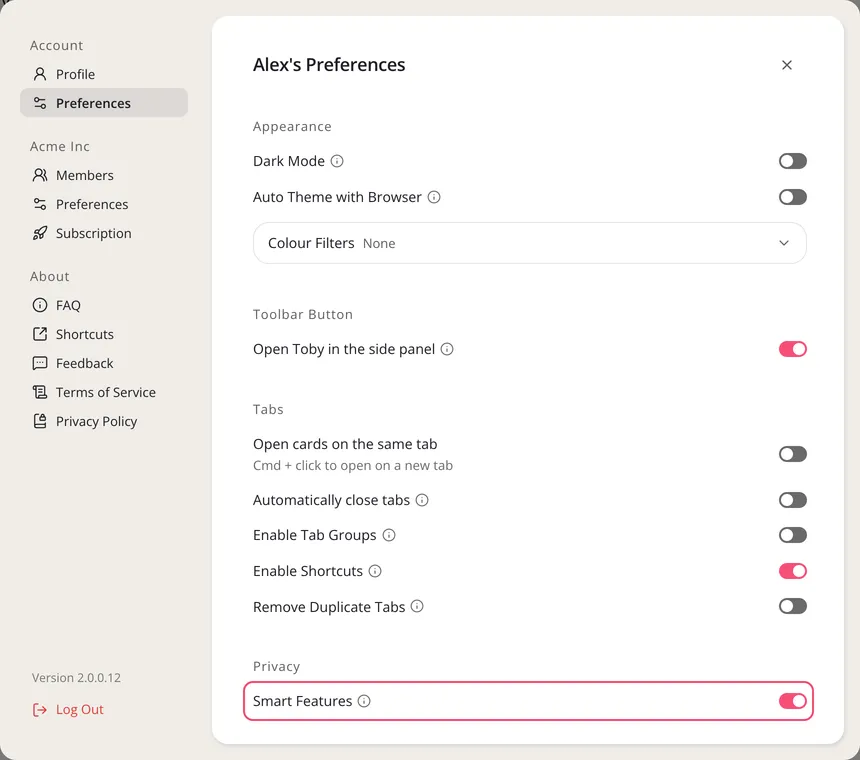
If Smart features aren't on yet, Toby asks Enable Smart Features? the first time you use one. Click Enable to go ahead, or Maybe later. You can switch them on or off any time: click Settings, then Preferences under Account, and find Smart Features under Privacy. Hover the info icon next to it to read: "Allow Smart group, Smart sort and Smart naming. They send tab and saved-card titles and URLs to AI providers. Nothing is sent until you allow it."
Feedback
If you rate a suggestion with the thumbs, Toby records your rating as product analytics. A thumbs-up is also saved with that suggestion on Toby's servers.
Questions
Email us at hello@gettoby.com. You can also read our Privacy Policy.