How do I save tabs into collections?
In this article
Save the page you're on into a collection from the extension menu, or drag tabs into collections from Toby.
From the extension menu
-
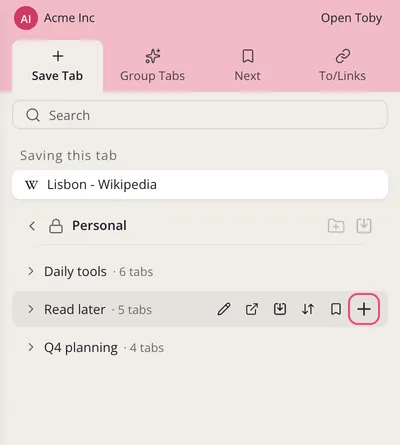
Click the Toby icon in Chrome's toolbar. In Save Tab, pick a Space.
-
Hover a collection and click the +, Save this tab here. A check mark shows the tab is saved. You can also drag the page from Saving this tab onto a collection.
From Toby
- Drag a tab from the open tabs panel on the right onto a collection.
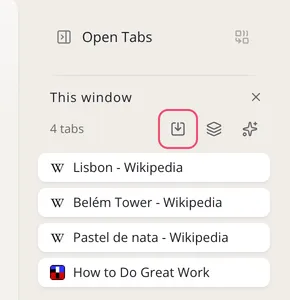
- To save several, select them in the open tabs panel and click Add to collection.
- To save a web address that isn't open, open the collection's ··· menu, click Add tab manually, paste the address and click Add Tab.
- To save the unpinned tabs in a window at once, click Save session on that window in the open tabs panel.
More ways to save
To save the unpinned tabs in a window at once, see Saving Session. To keep tabs open after you save them, see How to keep tabs open after adding to a collection?